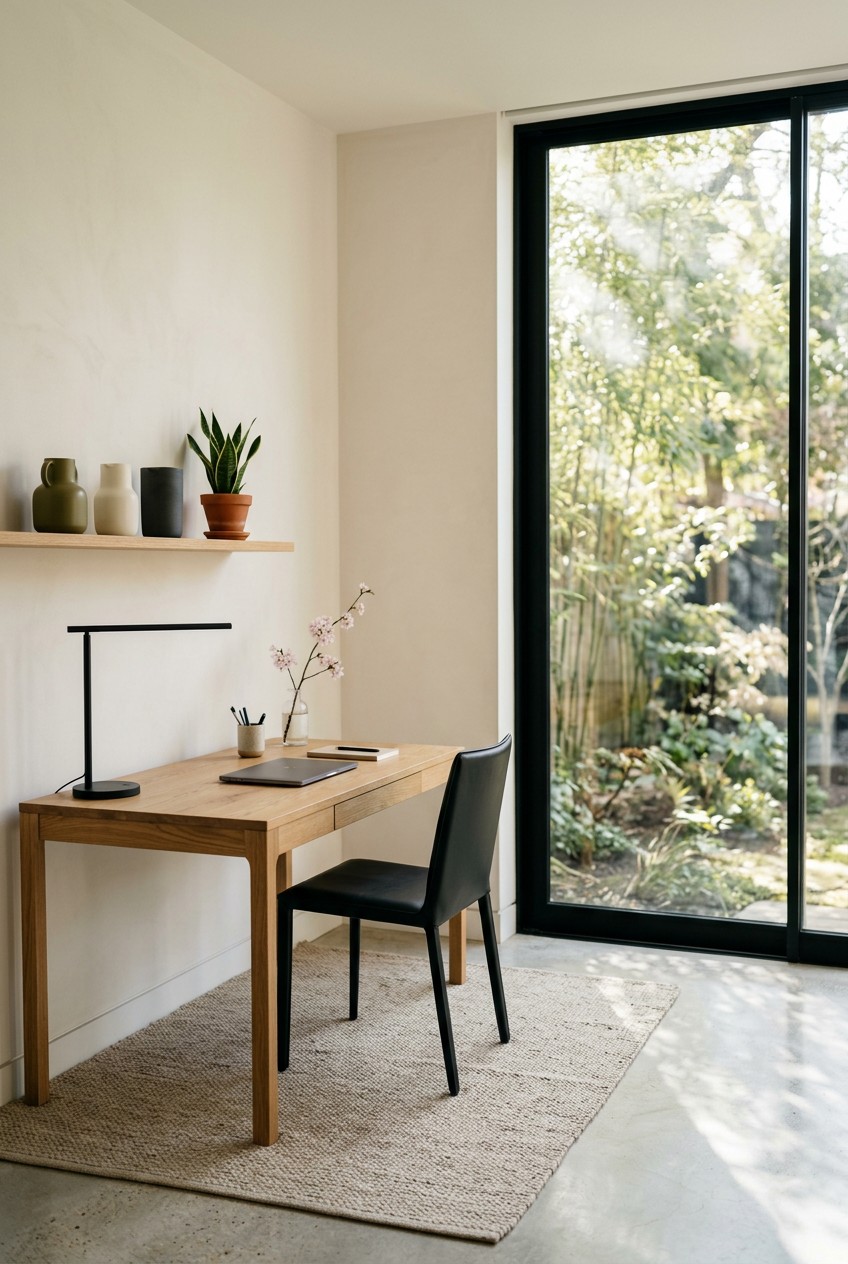
What’s Inside
- Invest in a Height-Adjustable Standing Desk as the Standard
- Prioritize Ergonomic Seating for Long-Term Health
- Embrace Monitor Arms to Reclaim Desk Space
- Implement Integrated Task Lighting with Smart Features
- Master Cable Management with Dedicated Solutions
- Opt for Multi-Functional Furniture with Hidden Storage
- Define Your Minimalist Home Office with a Neutral Color Palette
- Ruthlessly Declutter and Digitalize Your Documents
- Utilize Vertical Storage Solutions for Narrow Spaces
- Integrate Smart, Wireless Technology to Cut the Cord
- Maximize Natural Light and Layer Artificial Lighting
- Personalize Thoughtfully with Biophilic Design
- Avoid the Mistake of Prioritizing Aesthetics Over Functionality
- Separate Work from Home Life with a Dedicated Zone
- Consider a Vertical Laptop Stand for a Cleaner Look
- Keep Desk Snacks Organized and Out of Sight
- Establish a Daily Reset Routine for Your Minimalist Home Office
Last Tuesday at Whole Foods, I caught my reflection in the produce glass. My shoulders were hunched, a physical hangover from sitting at a cluttered dining table for eight hours. Building a minimalist home office isn’t just about looking good online. It’s about saving your posture and your sanity. I did this wrong for months before figuring it out. I used to balance my laptop on a stack of dusty books, pretending it was a standing desk. My back screamed. The smell of old paper and coffee haunted my workspace. Never again. Let’s fix your setup with real, practical steps.
1. Invest in a Height-Adjustable Standing Desk as the Standard

I used to think standing desks were a fad. I tried doing it wrong for months, stacking my laptop on cardboard boxes. My wrists ached. The cardboard smelled like a dusty warehouse. It was a disaster. In 2026, adjustable desks aren’t a luxury; they’re a survival tool for your spine. You need a solid base. I recommend the Vari Electric Standing Desk. It costs exactly $695.00 and offers a height range of 25.5 to 51.5 inches. Assembly takes under 15 minutes. The 48 by 30-inch laminate top feels sturdy. If you’re on a budget, the Autonomous SmartDesk Pro is a great alternative. It’s about $399.00 and supports up to 310 lbs. It adjusts from 26.2 to 52 inches. Your back will thank you. Don’t cheap out on the surface you touch for eight hours a day. Learned that the hard way.
2. Prioritize Ergonomic Seating for Long-Term Health

A common mistake is picking a chair just for looks. Last January, I bought a gorgeous emerald velvet chair from Target for $120.00. It looked stunning. But after three days on its 18-inch seat cushion, my lower back was on fire. I couldn’t focus. The foam went flat instantly. Skip the cute dining chairs. Invest in an ergonomic chair that actually supports you. The Branch Ergonomic Chair costs $329.00 and balances comfort with a sleek profile. It features seven points of adjustment. For a luxury option, the Steelcase Leap is incredible, costing around $1,200.00. If you love sitting cross-legged, look into the EDX Armless Criss Cross Chair with Wheels. It’s $69.99 and has a massive 26.5-inch seat pan. You get plenty of room to shift around.
3. Embrace Monitor Arms to Reclaim Desk Space

Traditional monitor stands are dust magnets. They eat up valuable space. If you want a clean look, get those screens off the table. A top trend for 2026 is using heavy-duty monitor arms. I used standard plastic stands for years, and they always left a ring of dust I couldn’t wipe away. The Humanscale M8.1 Monitor Arm costs $320.00 and is worth every penny. It holds monitors up to 28 lbs. The best part? It features built-in cable raceways. You route your power cords through internal 1.5-inch channels. This hides the ugly wires completely. Getting the monitor to eye level fixed the chronic neck stiffness I’d wake up with. Just clamp the base to the back of your desk. It instantly frees up about 40 square inches of space.

Dog Sculpture Home Decor Cute Man and Dog Statue Decoration
Honestly, Dog Sculpture Home Decor Cute Man and Dog Statue Decoration for Office surprised me — sturdier than it looks in the photos, and over 326 buyers gave it 4.5 stars.
4. Implement Integrated Task Lighting with Smart Features

Staring at a bright screen in a dark room is a fast track to ruining your eyesight. I used to rely on a cheap floor lamp that cast weird yellow shadows across my keyboard. The buzzing sound drove me crazy. Good lighting is vital for focus. Integrated task lighting is the move right now. I’m obsessed with the BenQ ScreenBar e-Reading LED Task Lamp. It costs $109.00 and clips onto the top of your monitor. It extends vertically up to 30 inches and has auto-dimming. The light coverage is wide, and it won’t create a glare. If you need a budget option, grab the Honeywell Sunturalux Foldable Modern Desk Lamp. It’s exactly $39.99. You get adjustable brightness and three color temperatures. The base is only 5 inches wide, so it won’t clutter your setup.
5. Master Cable Management with Dedicated Solutions

Untamed cables are the enemy of a peaceful mind. You can’t have a serene space when six power cords look like a nest of snakes. I did this wrong for months. I used cheap zip ties to bundle my cords, and when I needed to replace a mouse cable, I accidentally snipped my $40.00 laptop charger. Don’t do that. Grab the Hexcal Cable Management Kit for $45.00. It comes with 288 pieces for organization. You’ll also want the NeatTech Under-Desk Cable Management Basket by Humanscale. It costs $129.00 and features a flexible mesh basket with a fold-down design. It holds up to 10 lbs of power strips. My biggest tip? Always use reusable Velcro cable ties. Buy a 100-pack of 8-inch Velcro brand ties for $9.99. They’re soft, easy to adjust, and won’t damage cables. You might also like: 15 Cozy 2026 Capsule Wardrobe Ideas That Are Totally Worth It
6. Opt for Multi-Functional Furniture with Hidden Storage

When you’re working with a small footprint, every piece of furniture needs to earn its keep. A flat table with zero drawers is a recipe for disaster. I used to leave my pens and sticky notes scattered across my desk because they had no home. The visual noise made me anxious before I opened my email. Desks with built-in drawers are trending, but you can also add smart storage to your current setup. The Snughome Desktop Computer Bookshelf Organizer is brilliant. It costs $29.99 and measures exactly 16.5 inches wide. You can elevate your monitor while sliding your notebooks into the integrated storage compartments below. The rustic brown wood grain adds a nice touch. Hidden storage means you can sweep your mess out of sight when the clock strikes five. Out of sight means out of mind. You might also like: 15 Gorgeous Minimalist French Home Tips That Actually Work

UTTCMK Bookshelf Decor Thinker Statue
A dependable everyday pick — UTTCMK Bookshelf Decor Thinker Statue – Abstract Art Reading Thinker S pulls in 771 ratings at 4.5 stars. Not flashy, just solid.
7. Define Your Minimalist Home Office with a Neutral Color Palette

Color psychology is real. A minimalist office thrives on a calming aesthetic. I once painted my office a vibrant mustard yellow, thinking it would make me feel energetic. Instead, the room felt tiny, hot, and overwhelming. The smell of paint lingered for weeks, but the headache lasted until I repainted. Stick to a soft, neutral palette. Think crisp whites, light stone grays, or warm beige. I recommend Behr Premium Plus interior paint in the shade Blank Canvas. A 1-gallon can costs $34.98. It has a soft, matte finish that absorbs light rather than reflecting it harshly. A neutral backdrop minimizes visual noise and makes a cramped bedroom feel twice as large. If you need a pop of color, let it come from a plant. Keep the large surface areas quiet. You might also like: 20 Charming Minimalist Simple Living Lifestyle Tips Worth Trying This Year
8. Ruthlessly Declutter and Digitalize Your Documents

Minimalism starts with subtraction. You can’t organize clutter; you just have to get rid of it. Two years ago, I kept a massive metal filing cabinet next to my desk. The drawers shrieked every time I pulled them open. It held exactly 14 lbs of old tax returns and manuals for appliances I didn’t own. Clear everything off your desk right now. Only put back the essentials: your computer, one notebook, and one good pen. I swear by the Pilot G2 0.38mm black gel pen. It costs $14.99 for a dozen and writes like a dream. Next, digitalize your paper. It’s a huge distraction. You don’t need a bulky scanner. Just download the Adobe Scan app for free. It turns any document into a crisp PDF in seconds. Shred the physical copies. Reclaiming that space feels incredible.
9. Utilize Vertical Storage Solutions for Narrow Spaces

When floor space is limited, look up. Leaving your walls blank while your desk overflows is a missed opportunity. I used to stack reference books on the floor. I’d constantly stub my toe on them when getting up for water. Vertical storage keeps your essentials organized without eating up your desk surface. Peter Erlandsson of String Furniture suggests using modular shelving for narrow areas. I love the String Pocket Metal Shelving unit. It costs $195.00 and comes with three 23.6 by 5.9-inch shelves. The powder-coated steel feels durable. You can easily adjust the height of the shelves as your needs change. I use mine to hold a 6 oz ceramic mug full of pens and a small stack of Moleskine notebooks.

seenlast Candle Warmer Lamp with Timer Dimmer Adjustable
Honestly, seenlast Candle Warmer Lamp with Timer Dimmer Adjustable Height for Ne surprised me — sturdier than it looks in the photos, and over 38 buyers gave it 4.5 stars.
10. Integrate Smart, Wireless Technology to Cut the Cord

Wires are the enemy of minimalism. If your desk looks like the back of a 1990s television set, you’re doing it wrong. The current trend is tech that blends into the background. I finally ditched my wired mechanical keyboard last year. The thick braided cable kept knocking over my coffee. I swapped to the Logitech MX Keys Mini. It costs $99.99 and connects via Bluetooth instantly. The low-profile keys have a satisfying, quiet thud. Next, you need an all-in-one charging station. The Anker 633 Magnetic Wireless Charging Stand is my holy grail. It costs $99.99 and features a detachable 10,000mAh battery. It keeps my iPhone 14 Pro at a 45-degree angle so I can see notifications without picking it up. The matte white finish looks clean. Going wireless removes the physical tether to your desk entirely.
11. Maximize Natural Light and Layer Artificial Lighting

Positioning your desk in a dark corner is a fast track to eye strain. I used to keep my desk facing a blank white wall in the darkest part of my apartment. I felt like I was working in a sensory deprivation tank. Now, I position my desk perpendicular to a window. You get the mood-boosting benefits of natural sunlight without the blinding glare. The warmth of the afternoon sun on my arms instantly lifts my energy. When the sun goes down, you must layer your artificial lighting. Never rely on one harsh overhead bulb. It creates terrible shadows. Combine a soft ambient light with your task lamp. I use a Philips Hue White and Color Ambiance A19 LED Smart Bulb. It costs $44.99. I set it to a warm 2700K in the evenings.
12. Personalize Thoughtfully with Biophilic Design

Minimalism doesn’t mean your office needs to look like a sterile hospital room. You aren’t trying to erase your personality; you’re curating it. I used to cover my corkboard with overlapping photos and ticket stubs. It felt chaotic. Now, I stick to biophilic design. Bringing nature indoors is the best way to personalize a clean space. Last Friday, I went to Sprouts and bought a 4 oz Golden Pothos plant for $5.99. I placed it in a simple white ceramic pot. The vibrant green leaves add a nice organic texture to my hard laminate desk. Plants improve air quality and give your eyes something soft to focus on when you look away from your screen. Add one framed photo or one small, meaningful object. That’s it.

PoKat 23" Modern Ceramic Table Lamp Set of 2 for Living
If you want something that just works, PoKat 23″ Modern Ceramic Table Lamp Set of 2 for Living Room White Des is a safe bet (15 reviews, 4.5 stars).
13. Avoid the Mistake of Prioritizing Aesthetics Over Functionality

It’s easy to fall into the trap of building a workspace just for Pinterest. I’ve been there. A few years ago, I bought a stunning tempered glass desk with gold legs. It looked chic in photos. In reality? It was a nightmare. The glass was freezing cold against my forearms in winter. Every fingerprint showed up immediately. Worse, my optical mouse wouldn’t track on the clear surface, so I had to buy an ugly rubber pad anyway. Don’t prioritize a social media aesthetic over daily functionality. Build your workspace around your workflow. If you use reference books, keep them in reach. If you only use your printer once a month, put it in the closet. The beauty of a minimalist space comes from how smoothly it allows you to operate. Form must follow function. Took me years to figure out.
14. Separate Work from Home Life with a Dedicated Zone

Working from the sofa sounds luxurious until your brain starts associating your relaxation space with stressful emails. I used to work from my couch. I’d find myself checking work messages at 9:00 PM because my laptop was sitting there, staring at me. You need a physical boundary to protect your mental well-being. If you lack a spare bedroom, carve out a dedicated zone. I recommend a visual divider. The IKEA RISÖR room divider costs $139.00 and features a solid pine frame with translucent panels. It blocks the visual clutter when you’re off the clock. Alternatively, anchor your space with a rug. The nuLOOM Rigo Hand Woven Jute Rug costs $84.00 for a 5 by 8-foot size. The rough, natural texture defines the office area. Step off that rug, and you’re done.
15. Consider a Vertical Laptop Stand for a Cleaner Look

If you use an external monitor, leaving your laptop open or flat on your desk is a waste of space. A 15-inch laptop takes up over 100 square inches of prime desk real estate. I used to leave my MacBook lying flat, and I’d constantly spill water near it or stack loose papers on the lid. It looked messy and restricted airflow. Buying a vertical laptop stand was a massive upgrade. I use the OMOTON Vertical Laptop Stand. It costs exactly $19.99. It features a heavy, solid aluminum base that feels premium. You can adjust the width from 0.55 to 2.71 inches using the included Allen wrench, so it grips your machine perfectly. Storing your laptop vertically frees up a massive amount of surface area. It also hides the cables. It looks incredibly clean.
Beautiful Decorative Books
A dependable everyday pick — Beautiful Decorative Books – Set of 2 Boxes Enhance Your Coffee Table pulls in 282 ratings at 4.5 stars. Not flashy, just solid.
16. Keep Desk Snacks Organized and Out of Sight

Nobody talks about the visual clutter of desk snacks. Having crinkly, neon-colored chip bags next to a sleek monitor ruins the minimalist vibe. I’m a chronic snacker. I used to keep half-empty bags of trail mix scattered around my keyboard. The crumbs got stuck under my spacebar, and the plastic bags sounded like a thunderstorm every time I reached for a bite. You don’t need to stop snacking. You just need to repackage. Last weekend, I bought a 48 oz bag of Kirkland Signature raw almonds from Costco for $12.99, and an 8 oz bag of dried Just Mango slices from Trader Joe’s for $3.99. I transferred them into clear, 16 oz Ball Mason jars. The jars cost about $14.99 for a 12-pack. The glass feels great to hold, and the uniform jars look neat tucked away.
17. Establish a Daily Reset Routine for Your Minimalist Home Office

A minimalist space won’t stay minimalist without maintenance. Clutter attracts clutter. If you leave one coffee mug on your desk overnight, you’ll find three more by the end of the week. I used to let my desk devolve into a disaster zone by Friday, which made Monday mornings stressful. Now, I practice a strict five-minute daily reset. At 5:00 PM, I close all my browser tabs. I put my pen back in its drawer. I take my dirty dishes to the kitchen. Then, I wipe down the surface. I grab a tub of Clorox Disinfecting Wipes from Walmart. A 75-count canister costs $4.99. I wipe away the fingerprints, coffee rings, and dust. The crisp, lemon scent signals to my brain that the workday is over. Coming back to a clean, empty desk the next morning is the greatest gift. No exaggeration.
Your workspace dictates your headspace. You can’t produce clear, focused work in an environment that feels chaotic and neglected. Building a minimalist home office isn’t about stripping away everything you love. It’s about intentionally choosing the tools that support your goals. I’ve spent years tweaking my setup, and getting rid of the excess was the best decision I ever made. Start small. Clear your desk today and invest in that ergonomic chair tomorrow. If you found these tips helpful, please pin this article to your favorite home decor board on Pinterest so you can reference these measurements and products later. Let’s make your workspace a place you actually want to be.
Frequently Asked Questions
How do I start building a minimalist home office on a budget?
Start by ruthlessly decluttering what you already own. A true minimalist home office requires fewer things, not expensive things. Use free apps to digitize papers, clear your desk surface entirely, and slowly invest in an ergonomic chair before buying aesthetic decor.
What are the best colors for a minimalist workspace?
Stick to a soft, neutral color palette to reduce visual noise. Warm whites, light stone grays, and soft beige tones are ideal. These shades absorb light gently, prevent eye strain, and make small rooms feel significantly larger and more inviting.
How can I hide messy cords in my home office?
Use a dedicated under-desk cable management basket to hold heavy power strips and bulky adapters. Bundle your remaining loose wires together using reusable Velcro ties. Routing cables down the back of your desk legs keeps them completely out of sight.
Do I need a standing desk for a minimalist setup?
While not strictly required, a height-adjustable standing desk is highly recommended for long-term physical health. It provides a clean, functional foundation for your minimalist home office and prevents the severe back pain associated with sitting in one position all day.
